
Train. Recover. Repeat.
One screen and one sentence that answer "how am I doing?" each morning, without asking you to log anything.
 $2.99/mo or $29.99/yr · Requires iPhone or iPad (iOS 17+) and Apple Watch

Five questions, every morning.
Form turns the data your Apple Watch already captures into one answer for today. You don't log food or rate how you feel, and the app doesn't nag you every day.
- Am I consistent this week?
- Did I get enough Zone 2 cardio?
- Am I maintaining strength?
- Am I balanced between strength and cardio?
- What should I do today?
Built for the morning glance.
Open Form, get your read in 10 seconds, close it. Tap deeper only when you want to.
One recommendation, grounded in your week.
Form combines your training so far, how recovered you are right now, and any workout you just finished into a single sentence. If you've already worked out today, it says so instead of telling you to train again.

Drill into any number, any time.
Tap a tile to see the 90-day trend, a plain-language explanation of what the metric measures, and how your reading compares to norms for your age and biological sex. Every recommendation links back to the rule that fired and the data behind it.

Reads straight from your watch.
Form pulls workouts, heart rate zones, HRV, resting heart rate, sleep, VO₂ max, HR recovery, and overnight respiratory rate directly from HealthKit. If your watch recorded it, Form already has it, so there's nothing to enter by hand.
Flags warning signs early.
Small shifts in HRV, resting heart rate, sleep debt, and overnight breathing rate often show up before you feel sick, overtrained, or run down. Form flags them with labels like POSSIBLE ILLNESS, SLEEP DEBT, and LOAD SPIKE, so you can ease off a day or two early instead of being forced to later.

Forgiving when you step away.
If you take the Watch off for a week or go travelling, Form notices the gap and switches to EASING BACK or REBUILDING mode instead of raising false alarms. Recommendations pause, then get sharper again as your overnight readings come back.
Light or dark.
Pick one, or let Form follow your iPhone's setting.
Full support for iPad.
The dashboard has its own layout for the bigger screen.
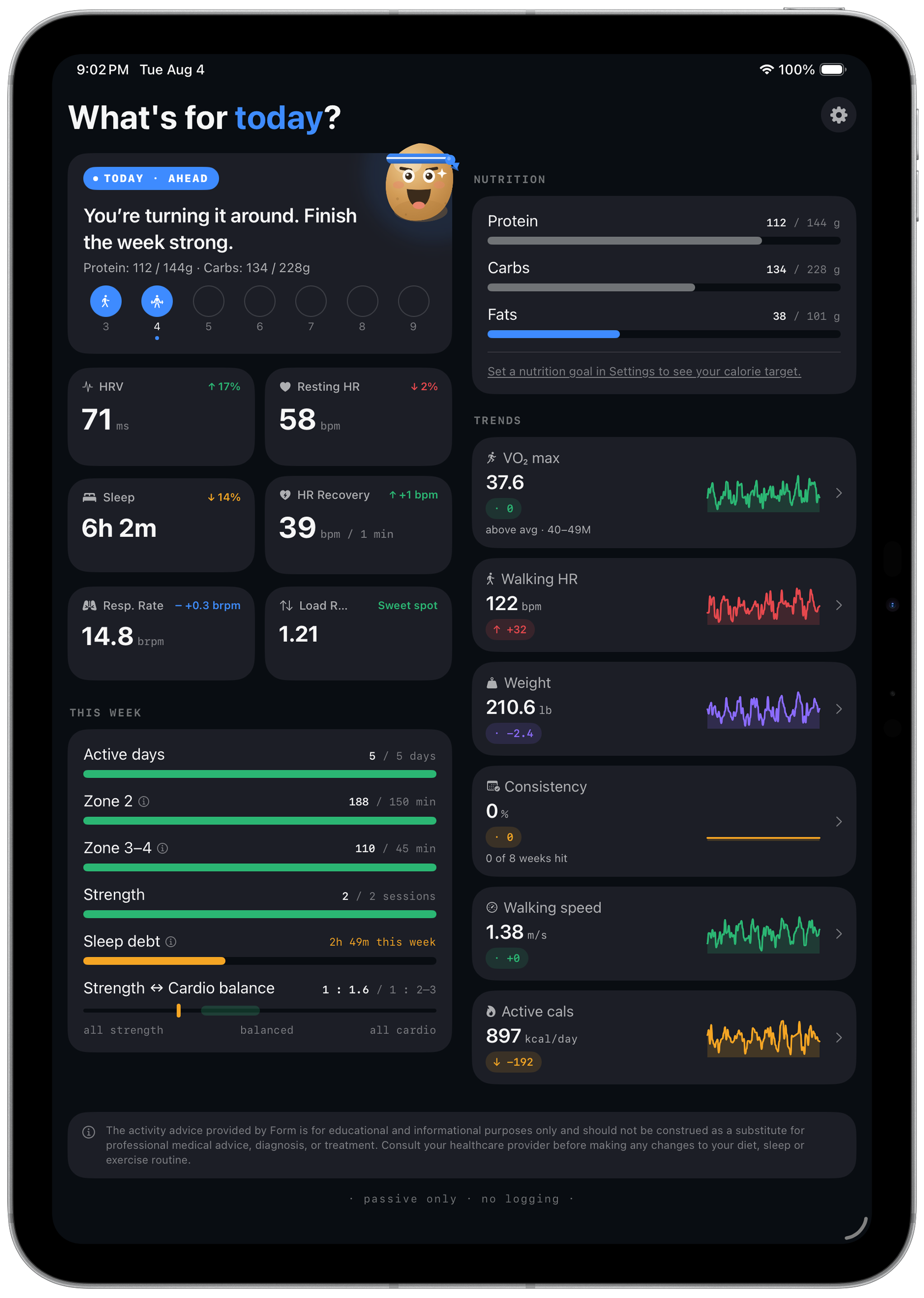
A two-column dashboard in portrait.
Today, Readiness, and This Week sit on the left, with Nutrition and Trends on the right, so you can see your day and your week without scrolling.
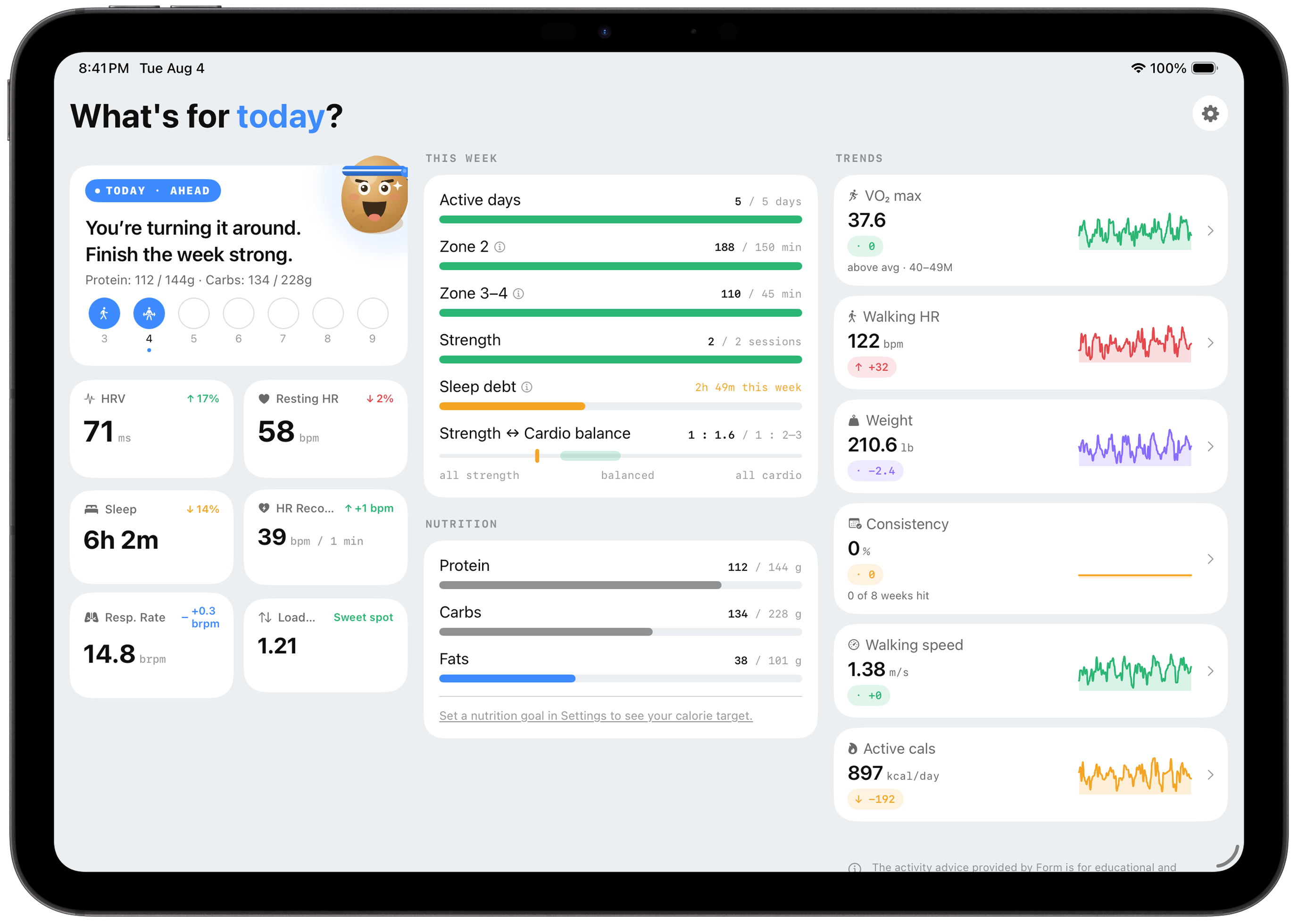
Rotate to landscape and Today and Readiness stay pinned in a side rail while This Week, Nutrition, and Trends scroll in two columns beside it.
Four notifications, one switch.
Form can tell you what you need to know without being opened. All four notification types are built from the same on-device data, and a single switch turns them all on or off.
Notifications are scheduled on your device. There's no push service and no server deciding what to tell you.
Daily nudge: a morning heads-up on today's recommendation, timed to when you usually wake up.
Recovery alert: replaces the daily nudge on days your data says you should back off.
Sunday recap: a summary of your week, with a one-tap share action.
Re-engagement: a reminder if you haven't opened the app in a few days.
How Form schedules them, in the privacy policy →What to eat. Not what you ate.
Form shows daily macro targets based on your workouts and scale data, and you never have to log food. The numbers change automatically depending on whether it's a strength day or a rest day.
Targets that adapt to your training.
On a strength day, Form prioritises protein and carbs for recovery. On a walk or rest day, the split shifts toward fat, which matches how your body fuels each kind of activity. Everything comes from your Apple Watch and Health data.

Your scale does the math.
If you have a smart scale that syncs to Apple Health, Form uses your lean body mass instead of your total weight to set a more accurate protein target. If you already log food in an app like MyFitnessPal, Form shows what you've eaten next to your targets, so you never enter anything twice.
Try free for 30 days.
You get full access for a month. If Form has earned a spot on your home screen by then, subscribe monthly, or annually to save 16%.
Subscriptions are processed by Apple via the App Store and renew automatically until cancelled. Manage or cancel any time in iPhone Settings → [Your Name] → Subscriptions. Prices shown are USD; local pricing may vary.
Your data never leaves your phone.
- Form has no servers for your health data, no accounts, and no cloud sync.
- There are no analytics, no tracking, and no advertising identifiers in the app.
- Your data isn't shared with Apple, with us, or with anyone else.
- Apple handles subscription billing, so we never see your payment details.
- If you uninstall the app, everything Form computed is deleted with it.
Common questions.
These come up most often. The full FAQ covers every metric, baseline, rule, and edge case.
- How does the free trial work?
- You get 30 days of full access to every feature from your first launch. After day 30, you pick a monthly or annual plan to keep using Form. You won't be charged until the trial ends, and you can cancel any time before then to avoid the first charge.
- Do I need to log anything?
- No. Form only uses what your Apple Watch records on its own. You don't log food, rate how you feel, enter anything by hand, or even create an account.
- Why doesn't Form give me a workout plan?
- Form is a daily check-in rather than a coach. It tells you whether you're on pace, how recovered you are, and whether anything needs attention, and you decide what to do about it.
- How long before recommendations become useful?
- Form works from day one with whatever Apple Health history you already have. Recommendations get noticeably sharper after 2–4 weeks, once your personal baselines settle. A tile marked "baseline stabilizing" has fewer than 30 days of data for that metric.
- What happens if I stop wearing my Watch for a few days?
- After 4–7 missing nights, Form switches to EASING BACK mode: it stops prescribing workouts and the TODAY card shows a welcome-back message. After 8 or more nights it switches to REBUILDING mode. A missed night never counts as a low-HRV night, so you won't come back to a false alarm.